
Audio description.Days in minutes.
Purpose-built desktop software for professional audio describers. Automatic scene detection, dialogue transcription and voicing handle the busywork — you write every word, fully offline, on your own machine.
00:01:00:00Two ways to get audio description
Make it yourself, or have it made.
Use the Synchrogen editor
Desktop software for professional describers and AD teams. You write, time, voice and approve the descriptions in one place, on your own machine.
- Windows, macOS and Linux
- 3-month free trial
- From €22 per month
Order the AD service
Send a video and get finished audio description back as a script file, an audio track or a full mix. AI drafts, a professional describer finalizes every line.
- 100% human-reviewed
- Free 3-minute sample
- From €4.40 per minute
00:01:14:08The workflow problem
Three tools. Five hours. One 30-minute video.
Professional audio describers juggle a video editor, an audio editor, and manual spreadsheets. No tool was built for the AD workflow — it was stitched together from generic software.
Every export, timestamp, and voice pass eats time that should go into the writing. EAA 2030 and CVAA are pushing the industry to scale — manual tool-juggling doesn't.
For professional audio describers & AD service companies
Less tool-juggling, more writing time.
Synchrogen is not here to write your descriptions for you. It is here to remove the parts of the job that don't need a storyteller — finding the gaps, avoiding dialogue, voicing the line — so your attention goes to the writing.
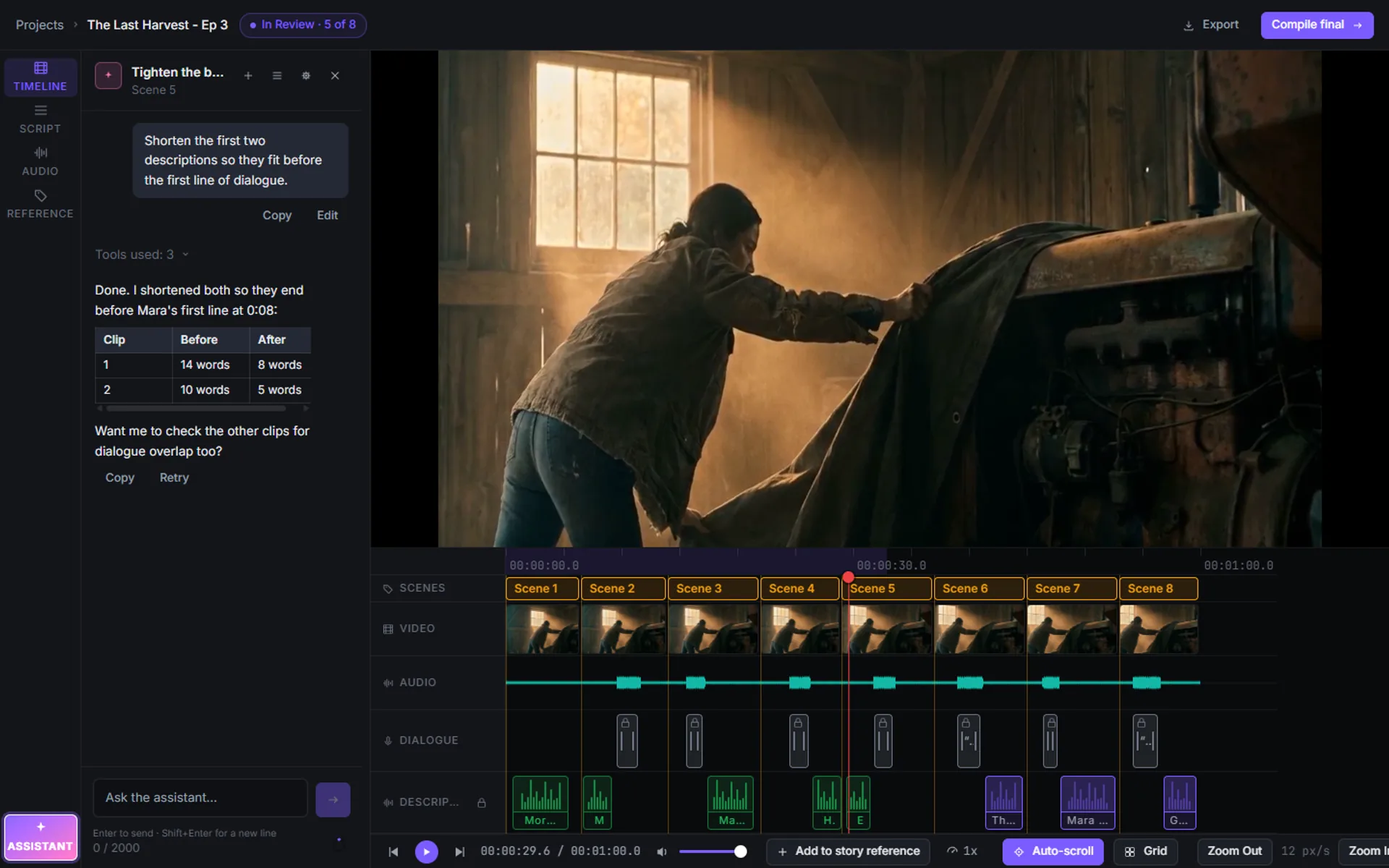
Every description is written by you, timed by you, approved by you. An AI assistant can help with drafts, rewrites and checks when you want it (early access), and the busywork around the writing is stripped out.
Know where to write, up front.
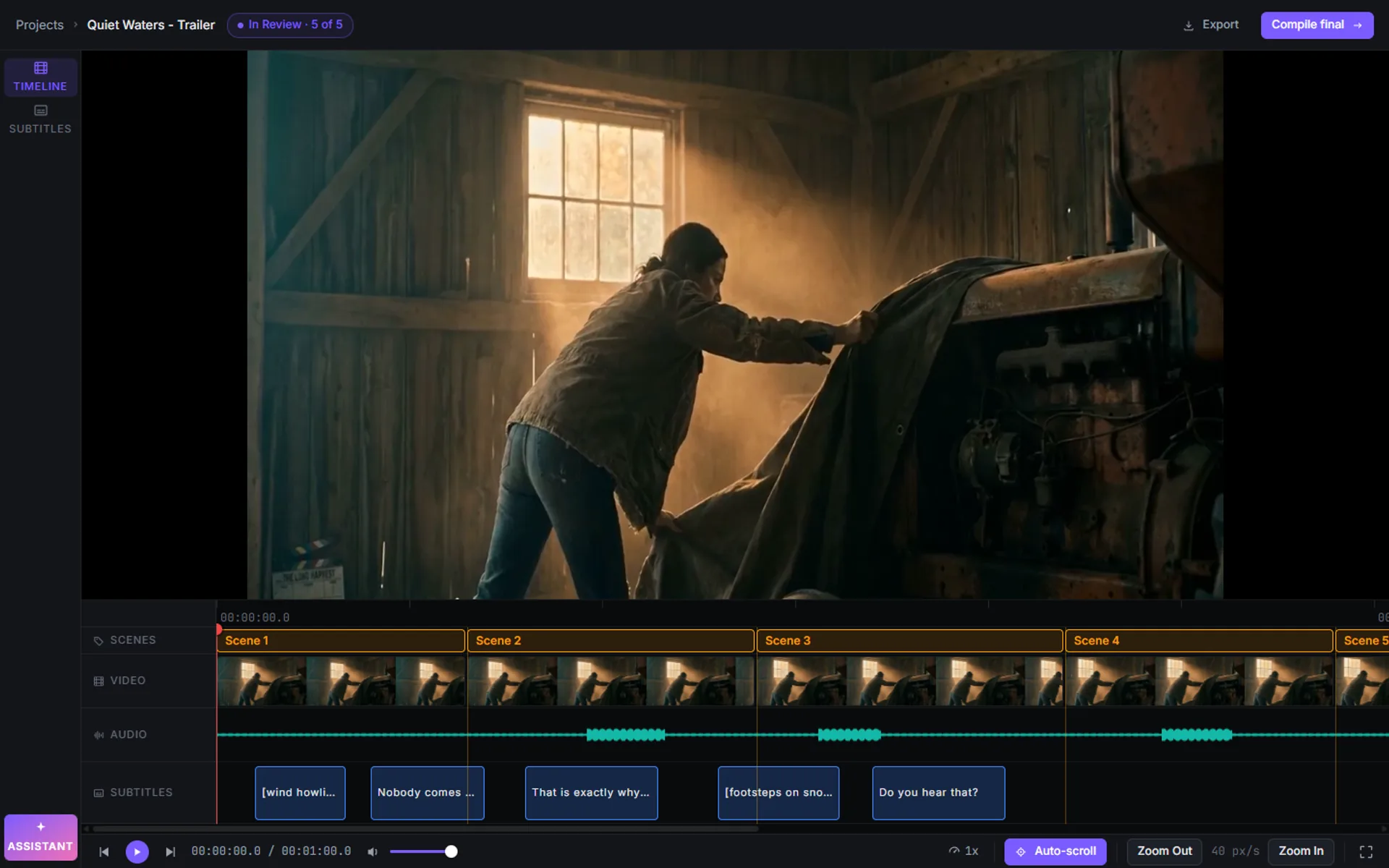
Scene detection and dialogue transcription find the gaps for you — scene by scene, timed to the cut. You open a script that already knows where every description belongs. No manual timestamp math.
Dialogue never gets stepped on.
The transcript is locked in automatically, so your descriptions never collide with a spoken line. Trim, retime, or duck the dialogue track — resolved inline, on the timeline.
Write it, then hear it.
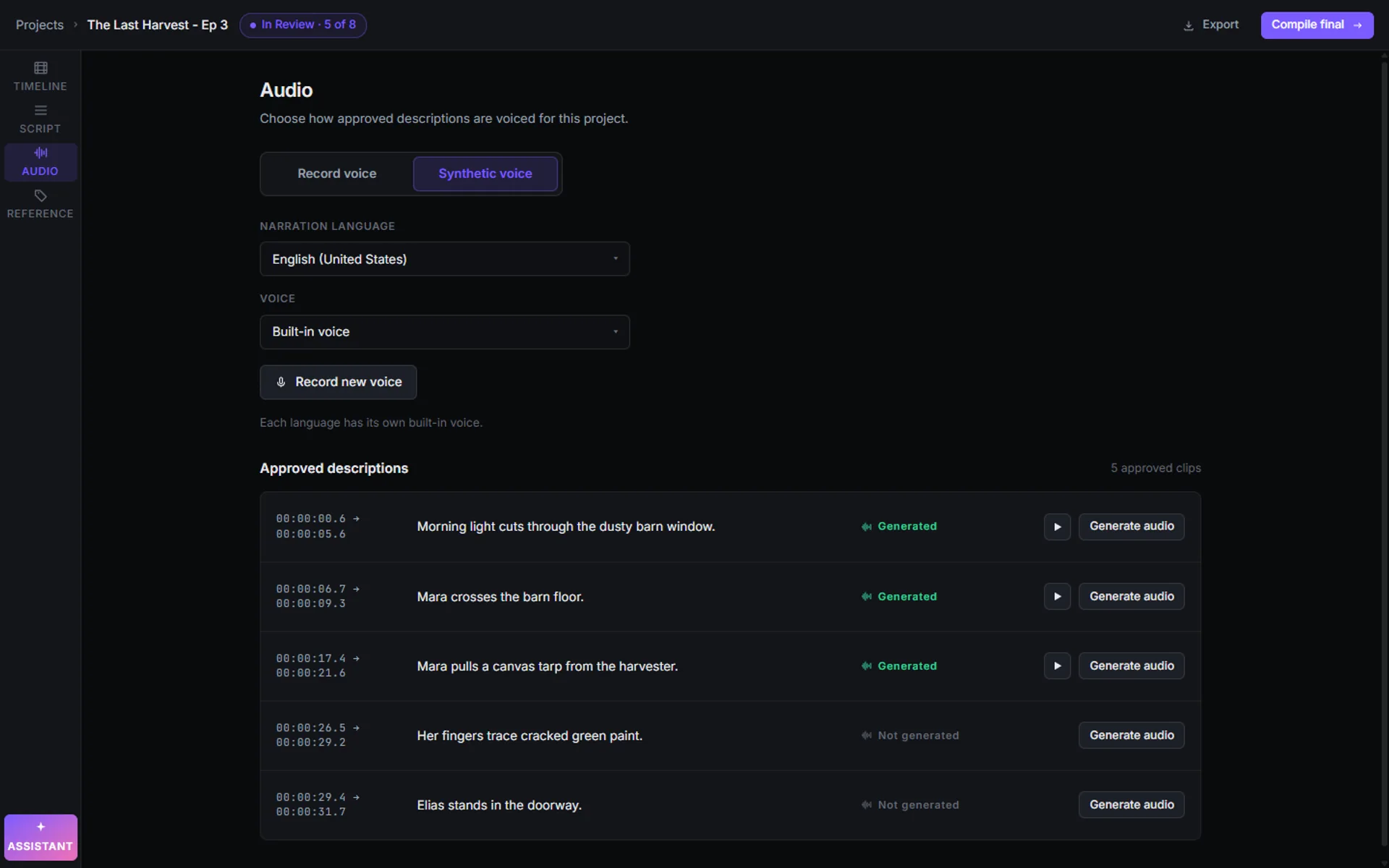
Type a description and generate built-in local narration right in the editor: no separate recording pass, no external audio editor, no re-import. Narration is generated on your own machine, so allow a little time per clip.
Every decision is yours.
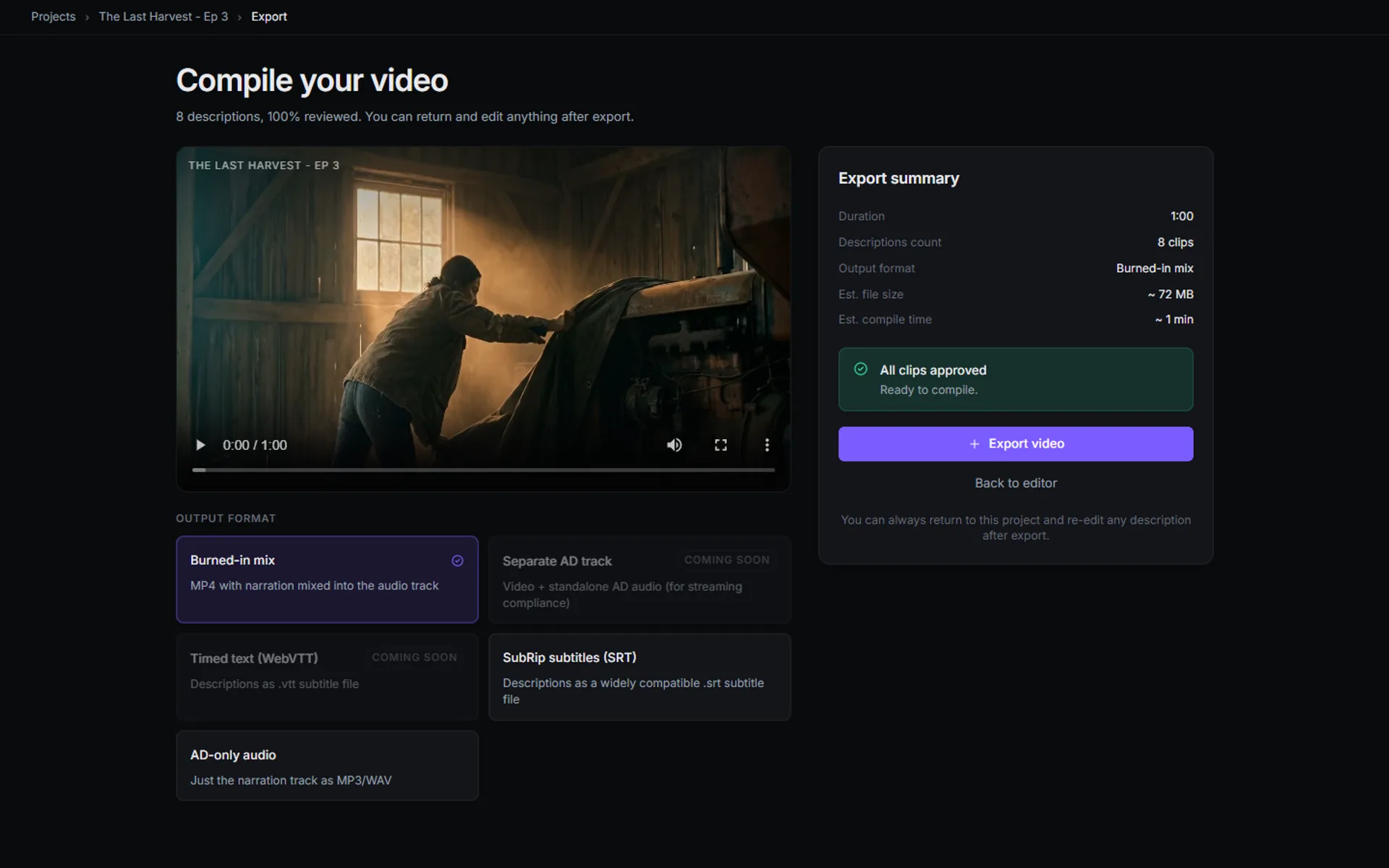
Edit any clip inline, approve at your own pace, and see every description's status at a glance. Export stays locked until every clip is approved. You write it, you time it, you decide what ships.
00:02:30:00Inside the platform
Nine screens, one workflow.
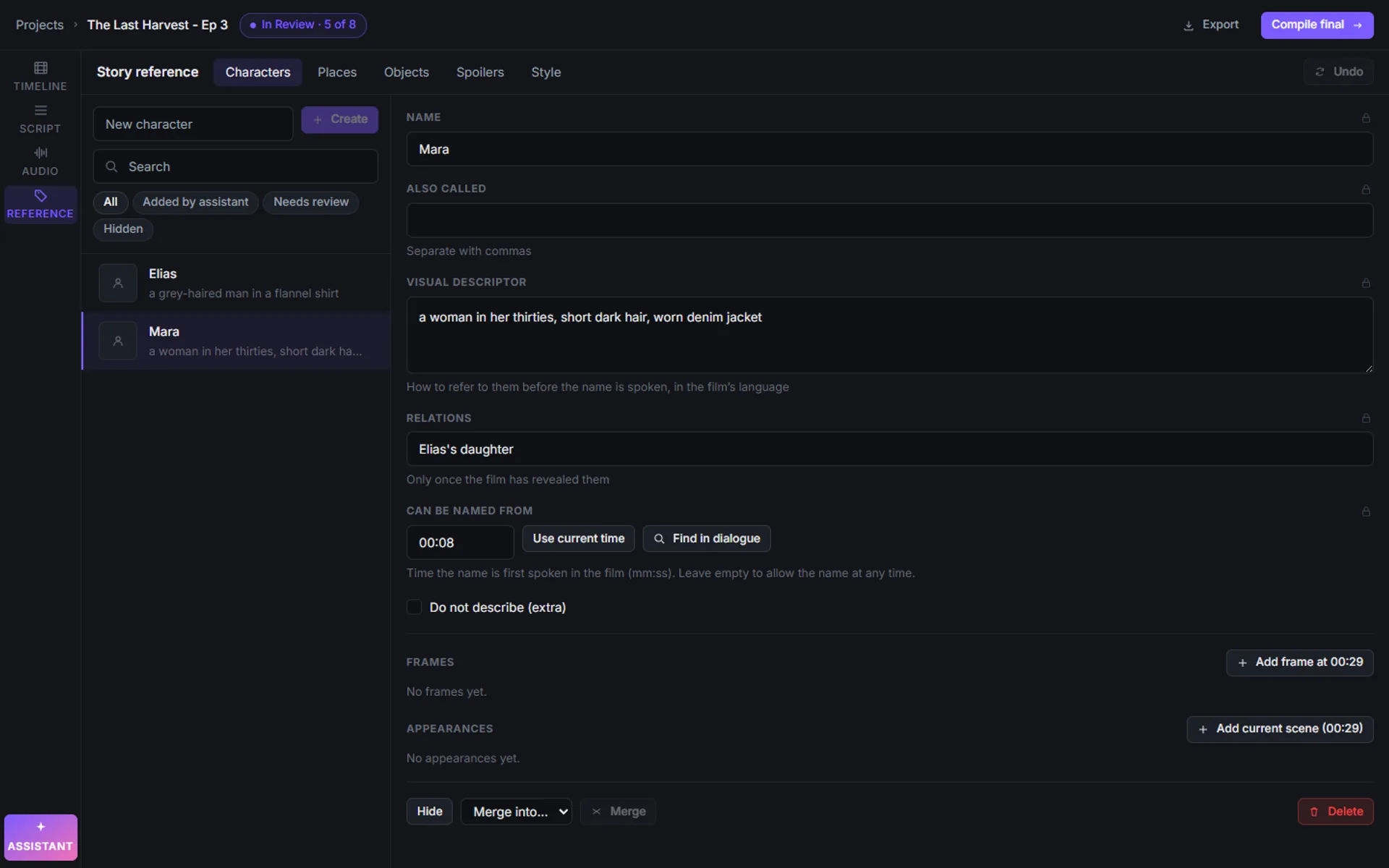
Real screenshots from the Synchrogen desktop app, not concepts. Use the rail below to jump anywhere, or let it play. Features marked Early access are rolling out gradually.
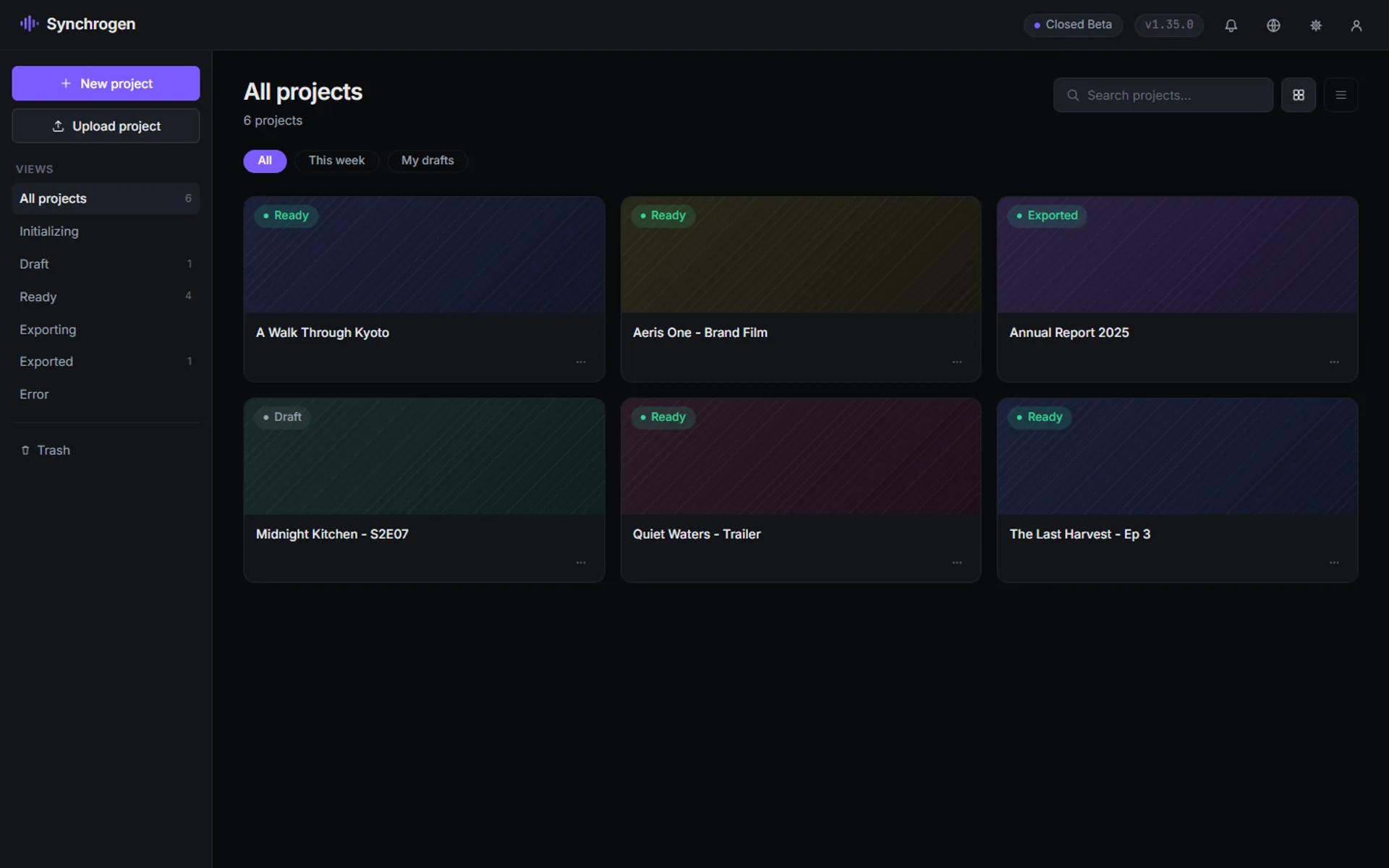
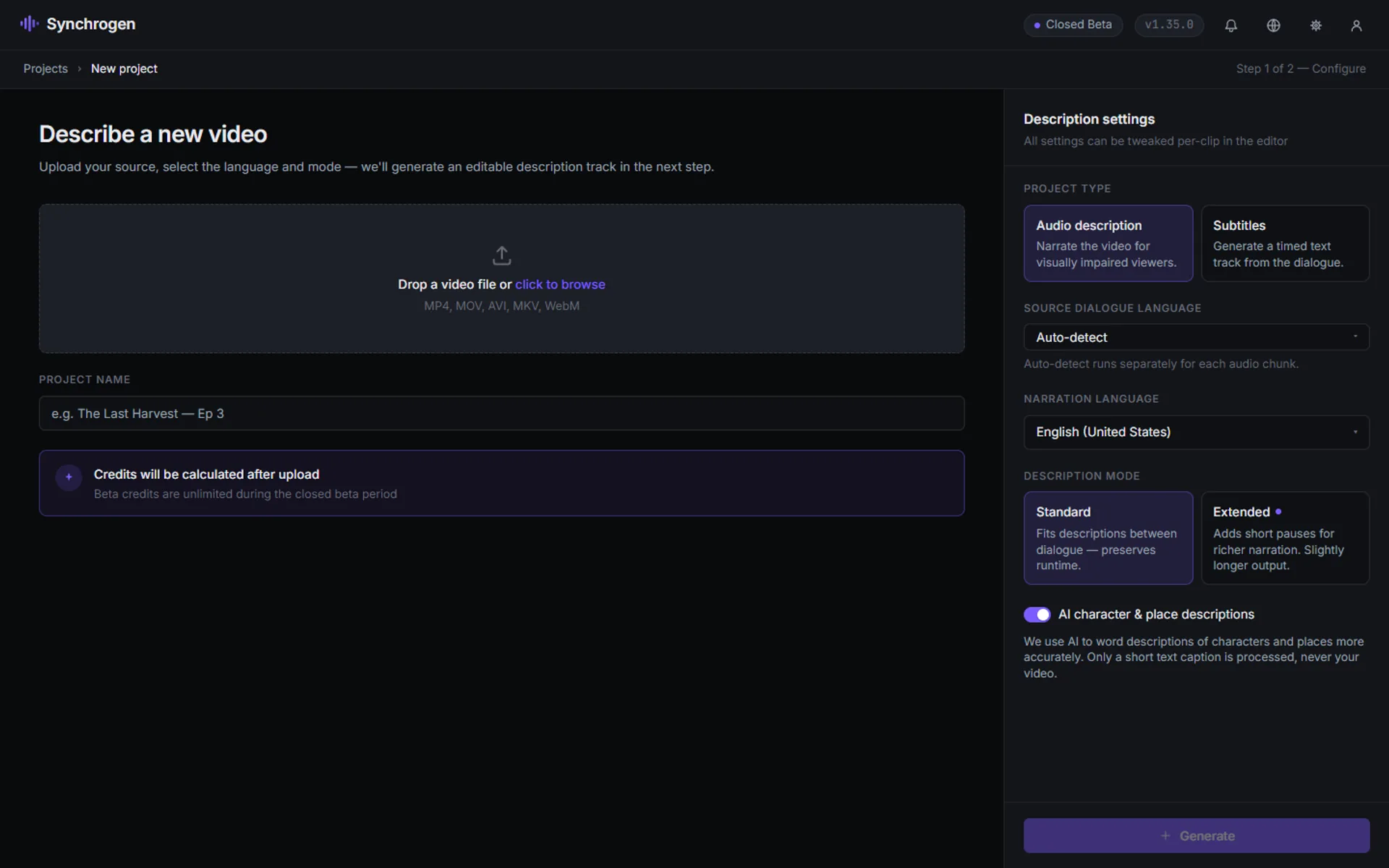
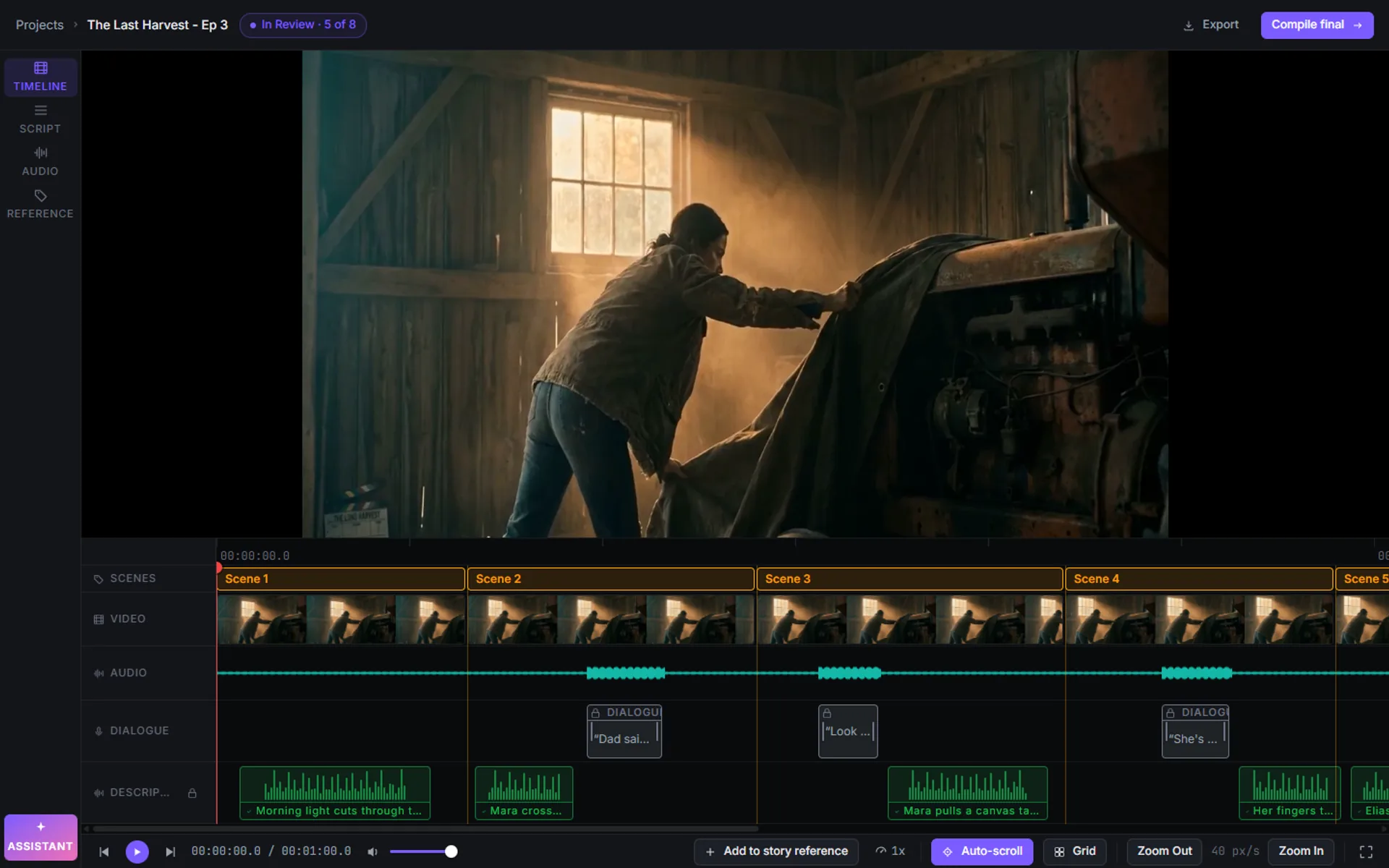
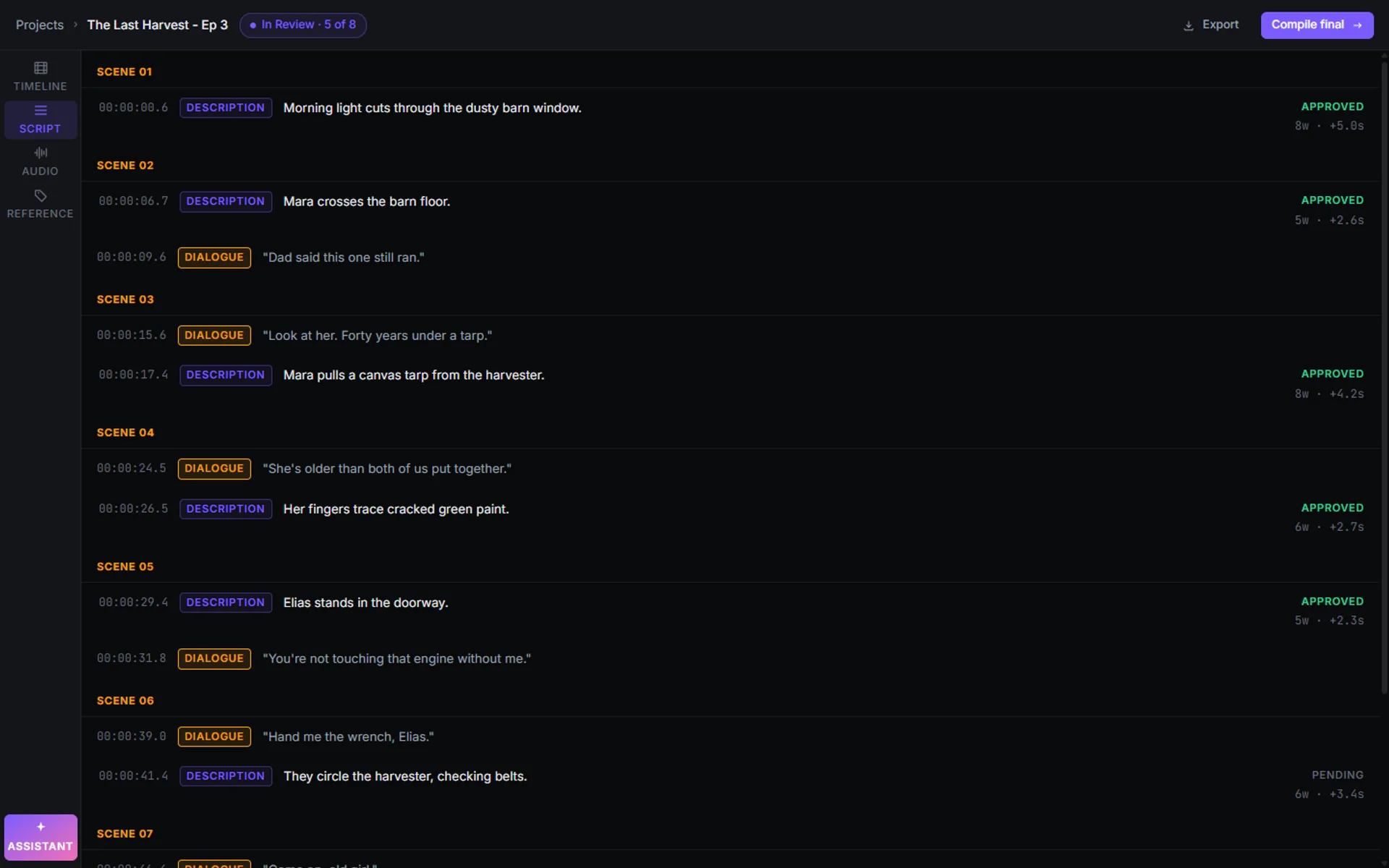
Your project catalogue.
Every project in one place, with status, filters and search, as a grid or a list. Bring a project over from another machine with Upload project.
What the describer writes. Voiced locally with built-in text-to-speech, in your own words.
Source audio, transcribed automatically. Always wins. Descriptions yield, every time, by design.
Cuts, jumps and time-changes — detected automatically, framed for the listener.
Your video stays on your machine. Projects live in a local database, and scene detection, transcription, face and place detection, and narration all run on-device. The cloud is used only for optional sign-in, feature updates, one-time model downloads and, if you choose it, the AI assistant, which works on text, never the video file.
00:04:08:12Voice delivery
Voicing, built in.
No separate recording software, no re-import step. Write a description and hear it narrated in the same window.
Write it, voice it, on the spot.
Type your description and generate narration right in the editor with local text-to-speech: no separate recording pass, no re-import from another tool. It runs on your own machine, so allow a little time per clip.
Or record it yourself.
Prefer a human read? Record each description in your own voice inside the editor. Custom voices for narration are rolling out as early access.
00:05:42:00Built around your standards
Quality is designed in, not bolted on.
The editor is built around the standards a senior describer already holds themselves to — dialogue never gets stepped on, nothing gets missed, and nothing ships unapproved.
Coverage
Scene and gap detection surface every place a description could go, so nothing gets missed before delivery.
Timing & sync
Descriptions never collide with dialogue. The dialogue track wins, always — enforced by the editor, not a checklist.
Show, don't tell
The editor stays out of your prose. Factual, third-person description is the standard we design the workflow around.
Approval gate
Every description carries an approval state, and export stays locked until every clip is approved.
00:06:30:08Your time back
Same compliance bar. More billable hours back.
An illustrative estimate — adjust to your monthly volume. Based on a 30-minute video typically taking 4–5 hours manually vs. an estimated 1.5–2 hours with Synchrogen at €35/hr; your own numbers will vary.
Hours you don't spend juggling tools are hours you can bill on the next project.
00:08:00:00Before you install
What to expect on your machine.
- Platforms
- Windows, macOS and Linux desktop app.
- First launch
- Downloads the speech-recognition and narration models once, about 5 GB in total. After that the core workflow runs on your machine.
- Narration languages
- English (US, UK), German, Spanish (Mexico, Spain), Italian, Polish, Russian. Generated on your computer.
- Interface languages
- English, Russian, Italian, German, Polish.
- Speed
- Narration is generated locally, so on a typical laptop allow some time per clip.
- Internet
- Only for optional sign-in, feature updates, the first-run model download and the AI assistant (text only, never your video).
- Access
- By request. Tell us about your project and we will set you up on a first real project.
00:08:12:00Asked by every professional describer
Frequently asked questions.
00:09:30:00Individual describers & service companies
Bring a project you're working on.
Leave with a faster workflow.
A 30-minute session on your actual content. We'll describe a clip from one of your videos together — edit it, retime it, export it — before you commit to anything.